Field Service Management, Simplified

Run Your Service Business
Without the Chaos

One-time setup. No subscription.

We found a better way.

From estimate to invoice in one flow. QuickBooks sync, offline mode for techs, and auto tax lookup — built for plumbers, HVAC, and any contractor who wants to grow their company without getting crushed by monthly software fees!

Plans from $499 one-time • No monthly subscription. A small per-invoice fee - you can pass it through to the customer, you can split it, or you can absorb it, (from $0.49) shows on each invoice. Most crews pass it through, so the software pays for itself. How it works

Chris Jordan, Manager of Affordable Drains in Spokane, WA — CrewForge founding customer
Founding Customer
I've been cleaning drains for over 15 years. I know exactly what my team needs in the field and what my office needs to keep jobs moving — I just couldn't find software that worked the way we actually do. Everything out there was either $300 a month for features we'd never touch, or built by people who've never been under a house with a jetter.

So I told John what we needed. Not what some software company thought we needed — what we actually use every single day. Scheduling, dispatch, messaging, invoicing into QuickBooks, and a way for my guys to update jobs from a crawl space with no signal. He listened, and his team built it. CrewForge does exactly what I asked for and nothing I didn't.

My guys and I use it every day — and honestly, we love it.
Chris Jordan
Manager · Affordable Drains · Spokane, WA

Built for the Field, and the Office

Your dashboard on desktop. Your techs on mobile. Everything syncs in real time.

crewforge.app/dashboard
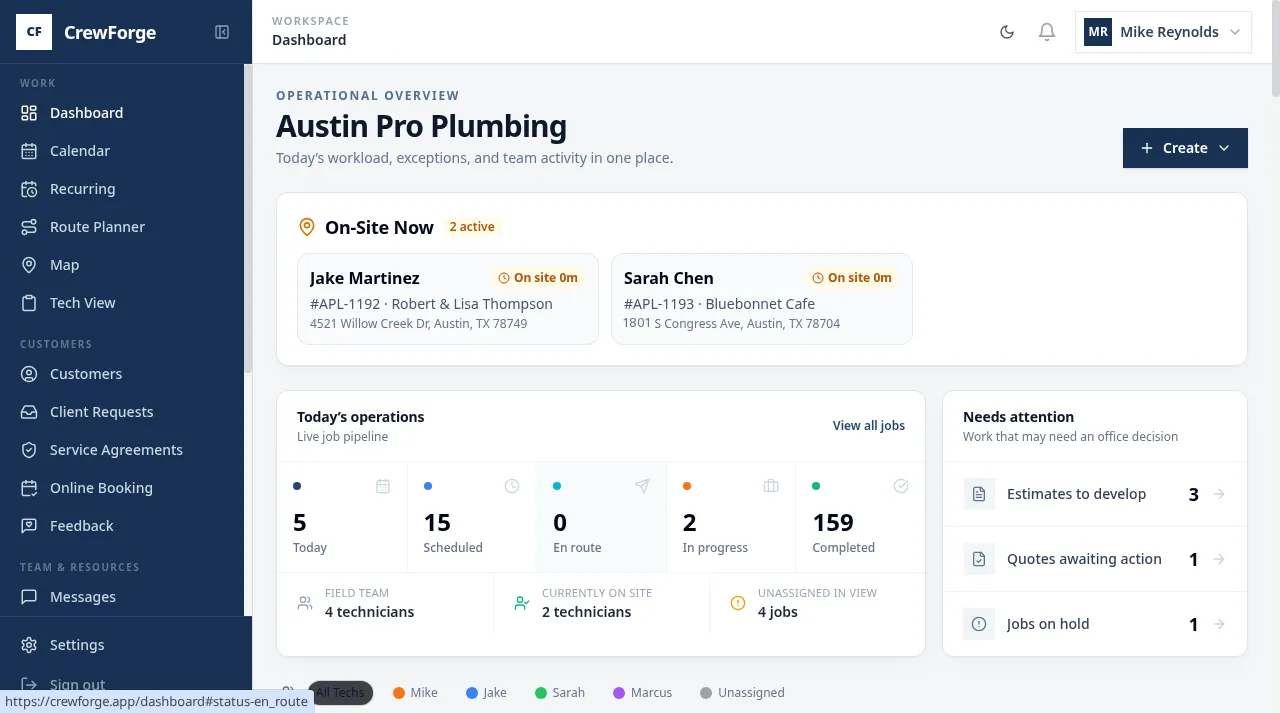
Crew Forge dashboard showing job management, revenue stats, and active technicians
Crew Forge mobile app showing job details with Submit to QuickBooks button

Tech mobile view

Everything You Need, Nothing You Don't

The core workflow, built for how field service businesses actually work every day.

One seamless workflow

Estimate → Quote → Job → Invoice

Take a job from first estimate through customer approval to completed invoice—without re-entering a single piece of data. One-tap progression keeps your team moving.

Dashboard view with job cards, status filters, and revenue overview for the office team
Not a one-way dump

QuickBooks Two-Way Sync

Import your customers and price lists, auto-submit invoices, and track payment status in real time. When QuickBooks updates, Crew Forge updates—and vice versa.

Job detail view with Submit to QuickBooks button and payment tracking
Visual calendar for dispatch

Drag & Drop Scheduling

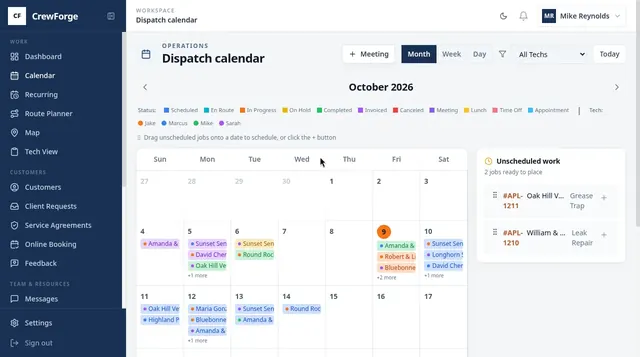
See every tech's schedule at a glance. Drag jobs between days, filter by technician, and catch conflicts before they happen. Your dispatchers will thank you.

Crew Forge calendar showing color-coded job assignments across the month with drag-and-drop scheduling
Every job and tech on one screen

Live Dispatch Map

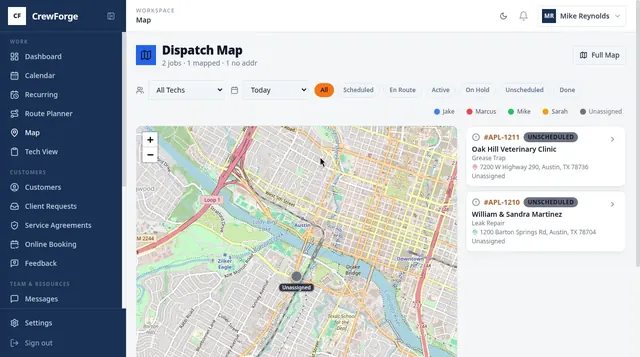
See exactly where every job sits and which tech is closest when an emergency call comes in. Color-coded pins by technician, status filters, and one-tap routing cut windshield time and squeeze more jobs into every day.

Crew Forge dispatch map showing color-coded job pins by technician across Austin with a live job list
Know exactly how your business is doing

Advanced Analytics Dashboard

Revenue trends, seasonal patterns, technician performance, and customer insights—all in real-time charts. See your top services, conversion rates, and profit margins at a glance.

Analytics dashboard showing revenue trends, conversion rates, and technician performance charts
Every detail, every time

Customer Management & History

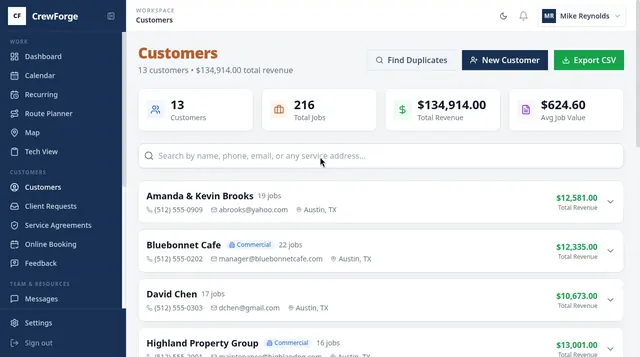
Full customer profiles with job history, addresses, notes, and contact info. When a repeat customer calls, you know everything before you pick up the phone.

Crew Forge customers list with search, contact details, and complete job history per customer
Works in basements and crawlspaces

Mobile-First for Techs

Your techs work where there's no signal. The app works offline and syncs when they're back online. AI cleans up messy field notes, and built-in secure messaging keeps gate codes, customer details, and job notes off personal phones and group texts — where they walk out the door when a tech leaves.

Technician mobile interface with offline capability, AI note cleanup, and one-tap QuickBooks submit
All included — no add-ons, no per-seat pricing

And A Whole Lot More

The tools the big platforms charge extra for? They're already in the box. Every plan, every feature, every user.

Lead Capture & Sources

Turn your website contact form into tracked leads. Tag every lead by source so you know which ads, referrals, and channels actually pay off.

AI Field Assistant

AI cleans up messy field notes into professional descriptions, drafts customer-ready line items, and answers “how do I…” questions right inside the app.

Time Tracking & Timecards

Techs clock in and out per job. Payroll-ready timecards roll up automatically—no paper, no guessing, no end-of-week reconstruction.

Digital Waivers & E-Sign

Capture customer signatures on waivers and approvals right on the device. Everything is stored against the job, ready when you need proof.

Multi-Location Customers

Manage commercial accounts with multiple sites and service addresses. Job history rolls up to the account and drills down to each location.

Automatic Tax Lookup

Sales tax is calculated by the job’s ZIP code automatically. No rate tables to maintain, no manual math, no costly mistakes on invoices.

Parts-Usage Reporting

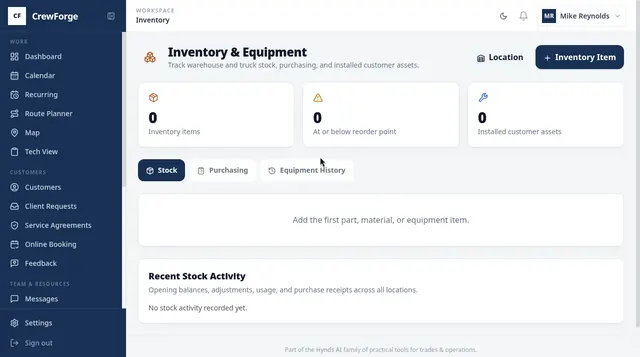
See which parts and services move most, export to CSV, and spot the trends that help you stock smarter and price with confidence.

Activity Audit Log

Every status change, edit, and submission is logged with who did what and when—so nothing falls through the cracks or turns into a he-said-she-said.

Push & Email Notifications

Techs get notified the moment a job is assigned or rescheduled. The office gets alerted on new leads and key status changes in real time.

Secure Team Messaging

Gate codes, customer details, and job notes stay inside the app—not on personal phones and group texts that walk out the door when a tech leaves.

Roles & Permissions

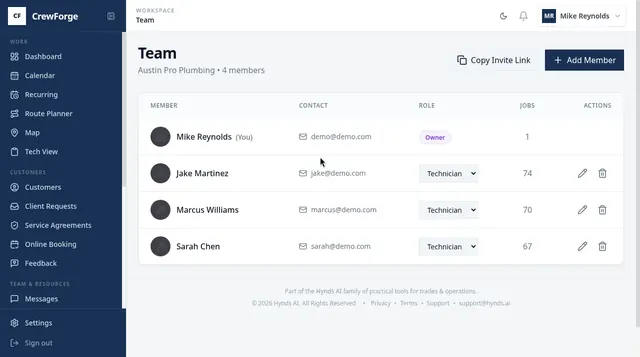
Owners, office staff, and field techs each see exactly what they need. Sensitive pricing and customer data stays with the people who should have it.

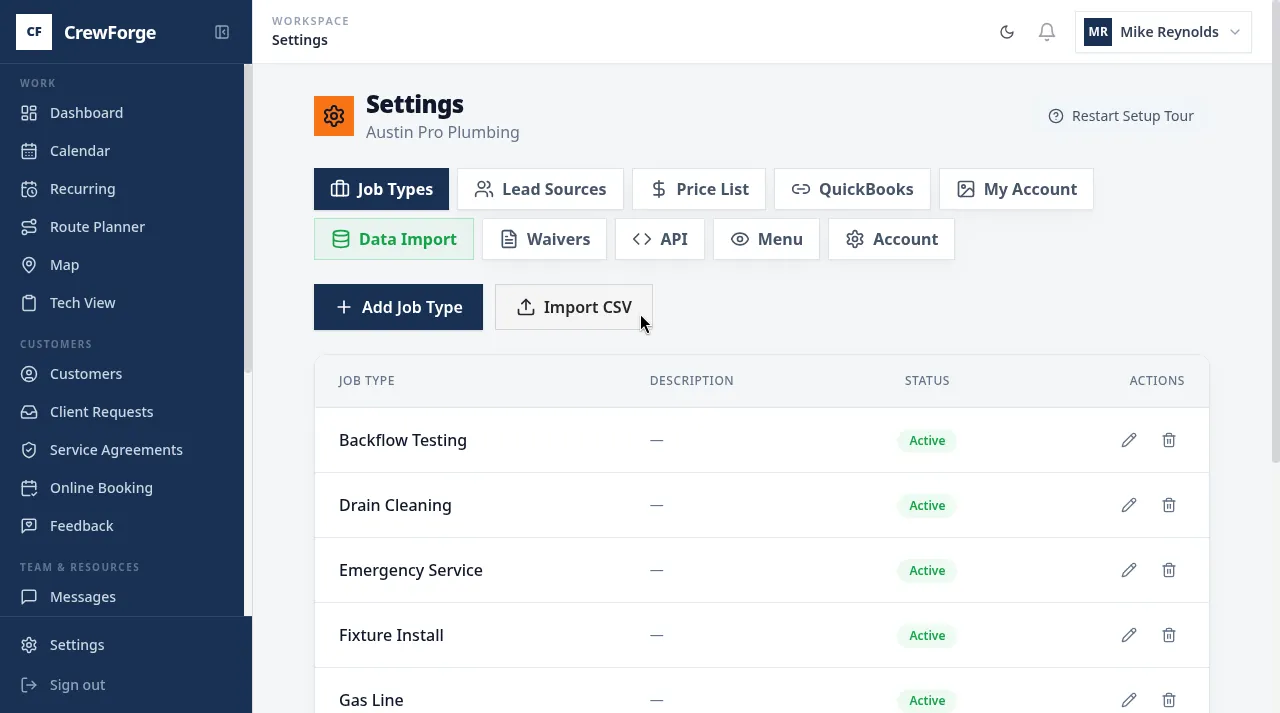
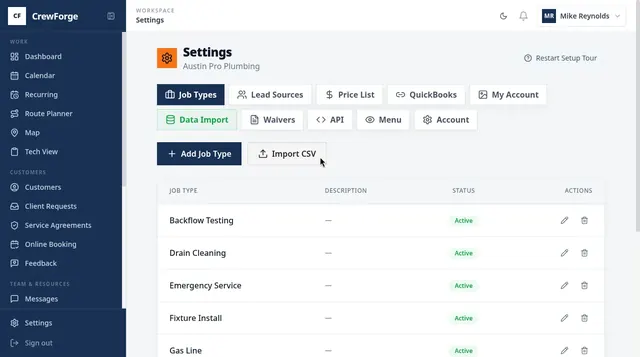
Smart Data Import

Switching FSM Software? Bring Everything With You

Coming from ServiceTitan, Housecall Pro, Jobber, RazorSync, or another FSM? Don't start from scratch. Import your customers and job history in minutes.

Customer Import
Names, addresses, phone numbers, emails
Job History Import
Past jobs with dates, types, and amounts
Smart Column Mapping
Auto-detects your CSV columns
Analytics Ready
Your dashboard works from day one
Supported Imports From:
ServiceTitan
Housecall Pro
Jobber
RazorSync
FieldEdge
ServiceFusion
Any CSV Export

From the Office and the Field

Real feedback from the Affordable Drains team — using CrewForge every day.

My job is so much easier and more efficient because of CrewForge! The workflow and interface are so natural. I take a call, create the job, put it on the calendar, and assign it to a tech. From there, the guys handle it—they update the status, add their line items, clock in and clock out, and submit it to QuickBooks themselves.
S
Savannah
Office Manager, Affordable Drains
Look, I just want to get my jobs done. I get my jobs in CrewForge, tap en route when I'm heading out, and mark them in progress when I get there. When I'm done, I add my line items — parts, labor, whatever I used — and submit it straight to QuickBooks myself. I don't have to call the office and read off what I did. I don't wait for someone to type up an invoice. I just do it from my phone and move on to the next job. It's simple and I like simple.
JH
Jason
Field Technician, Affordable Drains

Keep Sensitive Job Details Off Personal Phones

Gate codes, customer addresses, job notes — they don't belong in group texts on personal phones, where they walk out the door when a tech leaves. CrewForge messaging is built in, organization-scoped, and access is revoked instantly when someone leaves the team.

No Monthly Subscription

Starting at $499 one-time

Four tiers—pick the one that fits. No monthly subscription, ever. A small service fee rides on each invoice — you can pass it through to the customer, you can split it, or you can absorb it. Most owners pass it through, so the software pays for itself. See how the fee works

Basic
$499
Core tools, QuickBooks sync
Pro — Popular
$899
+ AI notes, waivers, broadcast messaging
Elite
$1,299
+ Analytics, exports, priority support
Enterprise
Custom
+ Dedicated manager, SLA
How Pricing Actually Works

Pay Once. Then Let Customers Cover the Rest.

No subscription, no per-seat fees. Here's the entire pricing model in four steps.

1

One-time setup

Pick a tier from $499. Pay once — no monthly bill, ever.

2

A tiny fee rides each invoice

A small service fee (from $0.49) is added as a line item when you invoice.

3

You choose how to handle it

You can pass it through to the customer, you can split it, or you can absorb it — like a card or shop-supply line item. Your call on every invoice.

4

Most crews make it a wash

Pass the fee through and the customer covers it on the invoice they pay — so the software can effectively run itself at no recurring net cost to you.

The Math Over Three Years

The same depth as the big platforms — without the bill that never stops.

Typical FSM Subscription
Roughly $250–$400/month — per seat, forever
Cost climbs as you add techs and features
Annual price increases you don’t control
Stop paying and you lose access to everything
3-year cost
$10,000+
and you own nothing
Crew Forge
One-time setup from $499 — no monthly subscription
Unlimited techs — no per-seat charges
Small per-invoice fee you pass through to the customer
It’s yours — access doesn’t get switched off
3-year cost
From $499
Pass the per-invoice fee through and it’s effectively a wash

Competitor figures are typical industry ranges for comparable field-service platforms and vary by provider, seat count, and plan.

Ready to Run Your Business Without the Chaos?

Start your 30-day free trial — no credit card, no commitment. Set up in under 2 minutes.

Full access to all features
Import your existing data